End of Life reached for Extract Any Mail Pro and Email Sorter Pro View Details!

ConsentPilot – Self‑Hosted Toolkit for Google Consent Mode v2

Download the full JavaScript edition of ConsentPilot and install a modern, privacy‑friendly consent banner on any non‑WordPress site (Laravel/PHP, static HTML, Django, Rails, etc.) without needing npm or React.

Download ConsentPilot (JS edition)
*ZIP file – includes assets, Configurator, docs, and demo pages.

Smart Consent Management for Privacy Compliance

ConsentPilot is a centralized consent management solution designed to help organizations seamlessly capture, manage, and optimize user consent across digital touchpoints. Built for compliance-first businesses, it ensures regulatory alignment while enhancing customer trust and operational efficiency.

  • Regulatory-Ready Compliance
  • Unified Consent Dashboard
  • User-Centric Experience
  • Actionable Insights & Reporting
Smart constent management
Privacy Control

Consent Management Simplified

Centralize user consent, streamline compliance workflows, and build long-term digital trust without operational friction

Automated Consent Collection

Automatically capture, store, and manage user consent across websites and applications with minimal setup.

Global Compliance Coverage

Support major privacy regulations like GDPR and CCPA with built-in compliance logic that adapts as laws evolve.

Centralized Consent Dashboard

Access, monitor, and update all consent records from a single, easy-to-manage control panel.

Customizable Consent Experiences

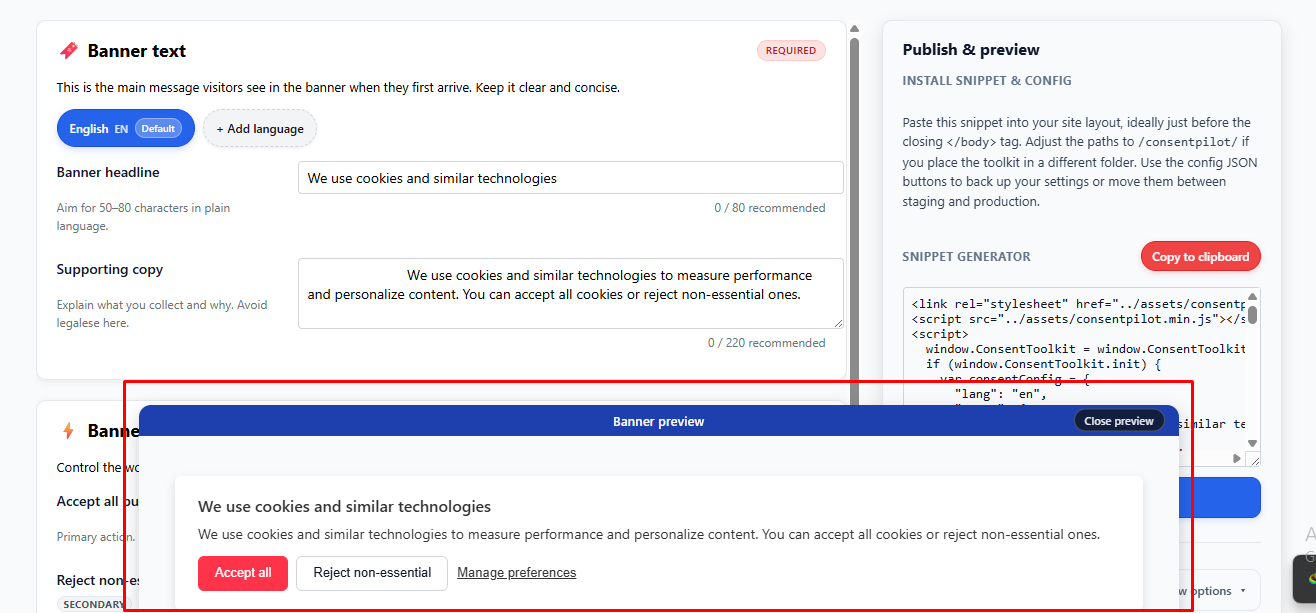
Create branded consent interfaces that align with regional requirements and user expectations.

Real-Time Consent Tracking

Track consent status changes instantly to ensure data accuracy and regulatory confidence.

Audit-Ready Reporting

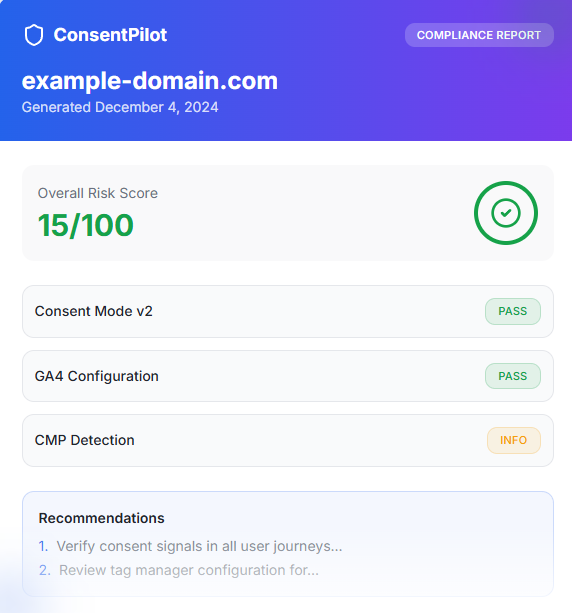
Generate structured reports that simplify audits, internal reviews, and compliance documentation.

Bring data transparency to your web and mobile apps

  • Provide clear, accessible explanations of how data is collected and used.
  • Offer intuitive controls so people can manage preferences with confidence.
  • Automatically discover and categorize cookies, SDKs, trackers, and third parties; maintain an evergreen inventory to keep disclosures current.

Bring data transparency to your web and mobile apps

  • Provide clear, accessible explanations of how data is collected and used.
  • Offer intuitive controls so people can manage preferences with confidence.
  • Automatically discover and categorize cookies, SDKs, trackers, and third parties; maintain an evergreen inventory to keep disclosures current.

Who Should Download This?

Lorem ipsum dolor sit amet, consectetur adipiscing elit. Suspendisse varius enim in eros elementum tristique. Duis cursus, mi quis viverra ornare, eros dolor interdum nulla, ut commodo diam libero vitae erat.

ConsentPilot Blocks

Site owners, marketers, and agencies who:

  • Host their own sites (Laravel/PHP, static HTML, etc.).
  • Want a one‑time purchase instead of a recurring CMP subscription.
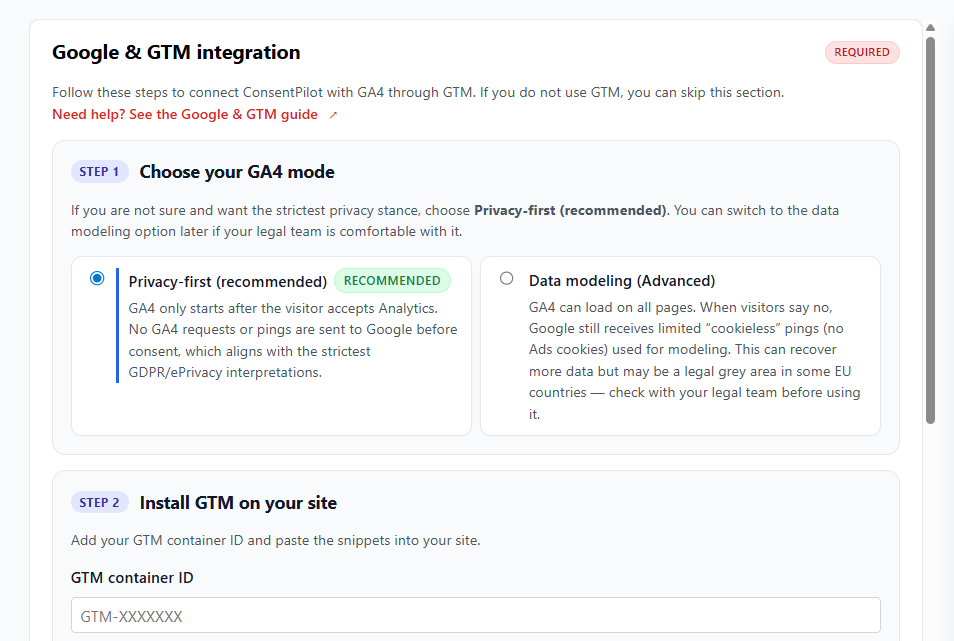
  • Need proper Google Consent Mode v2 and GTM/GA4 integration.

Non‑technical buyers who can:

  • Upload a folder to their hosting.
  • Paste a snippet into their layout template (or ask their developer to do it).

What You Get In The Download

When you unzip the file (for example consentpilot-gcmv2-js-v1.0.1.zip), you’ll see a single folder: consentpilot/

Inside:

How setup works

What You Get In The Download

Lorem ipsum dolor sit amet, consectetur adipiscing elit. Suspendisse varius enim in eros elementum tristique. Duis cursus, mi quis viverra ornare, eros dolor interdum nulla, ut commodo diam libero vitae erat. Aenean faucibus nibh et justo cursus id rutrum lorem imperdiet. Nunc ut sem vitae risus tristique posuere.

Simple Accordion
assets/

consentpilot.min.js – the browser bundle that renders the banner, stores consent, and talks to Google.

consentpilot.min.css – default styling for the banner and preferences panel.

configurator/

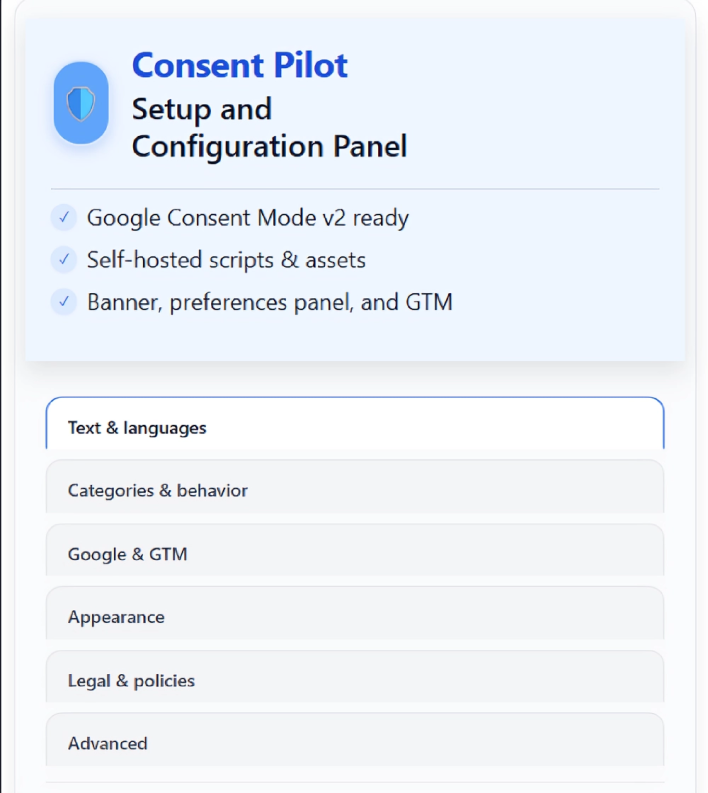
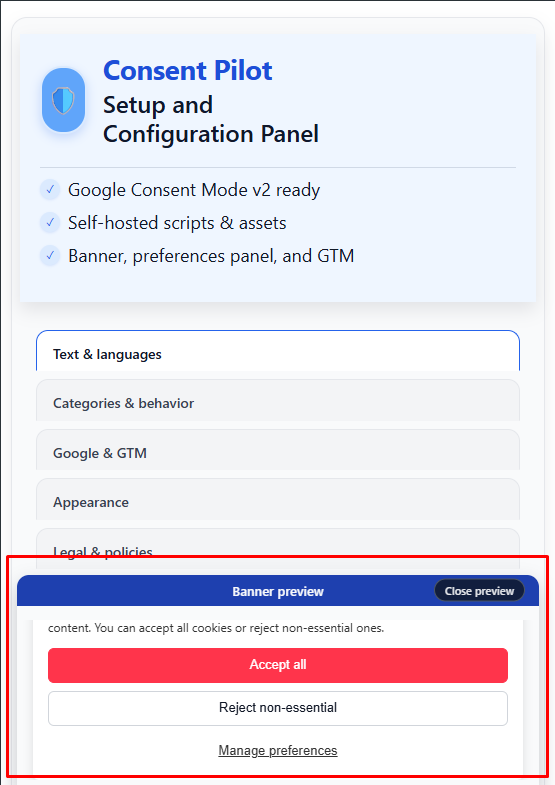
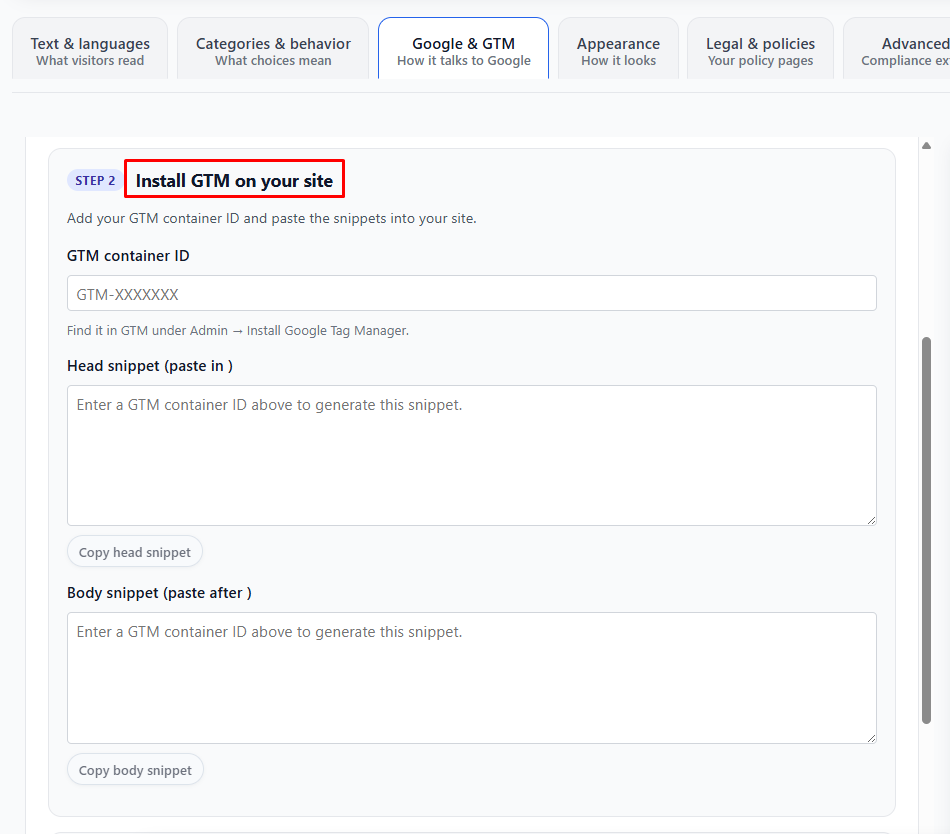
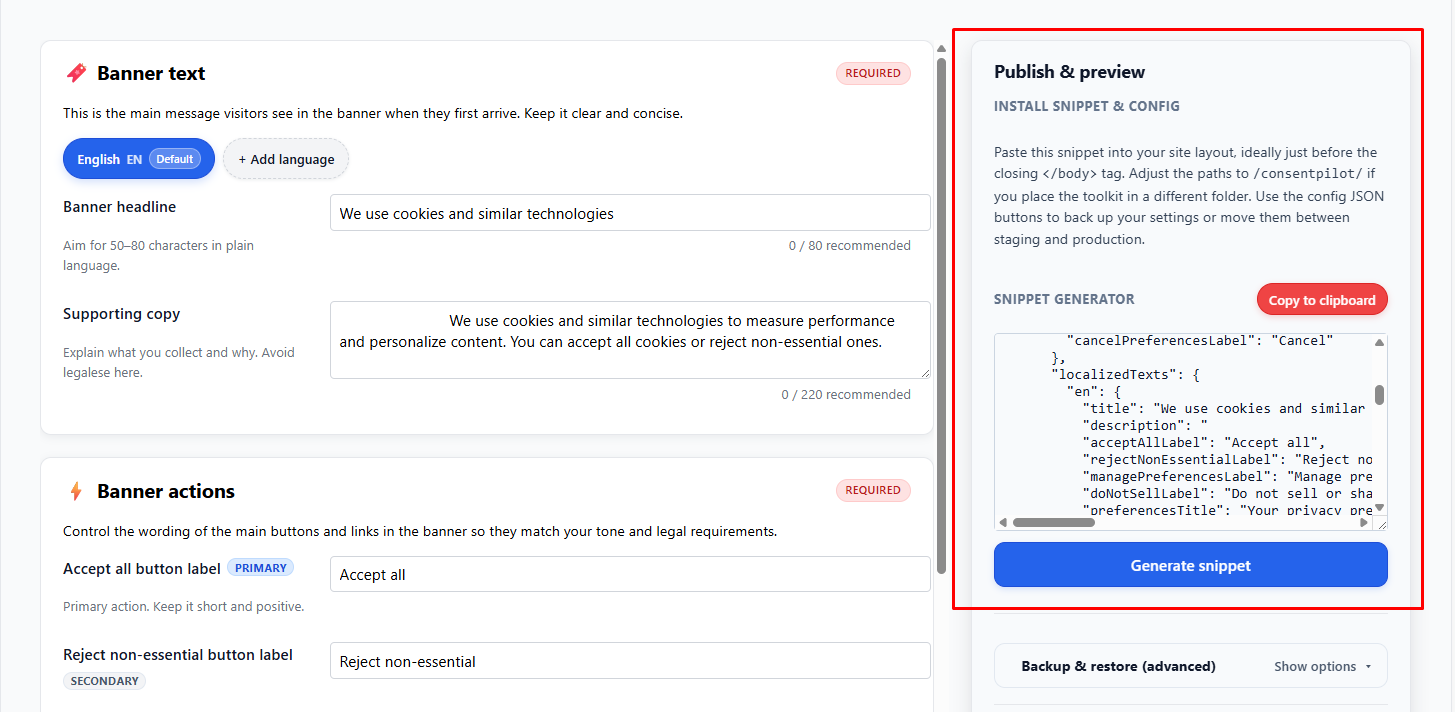
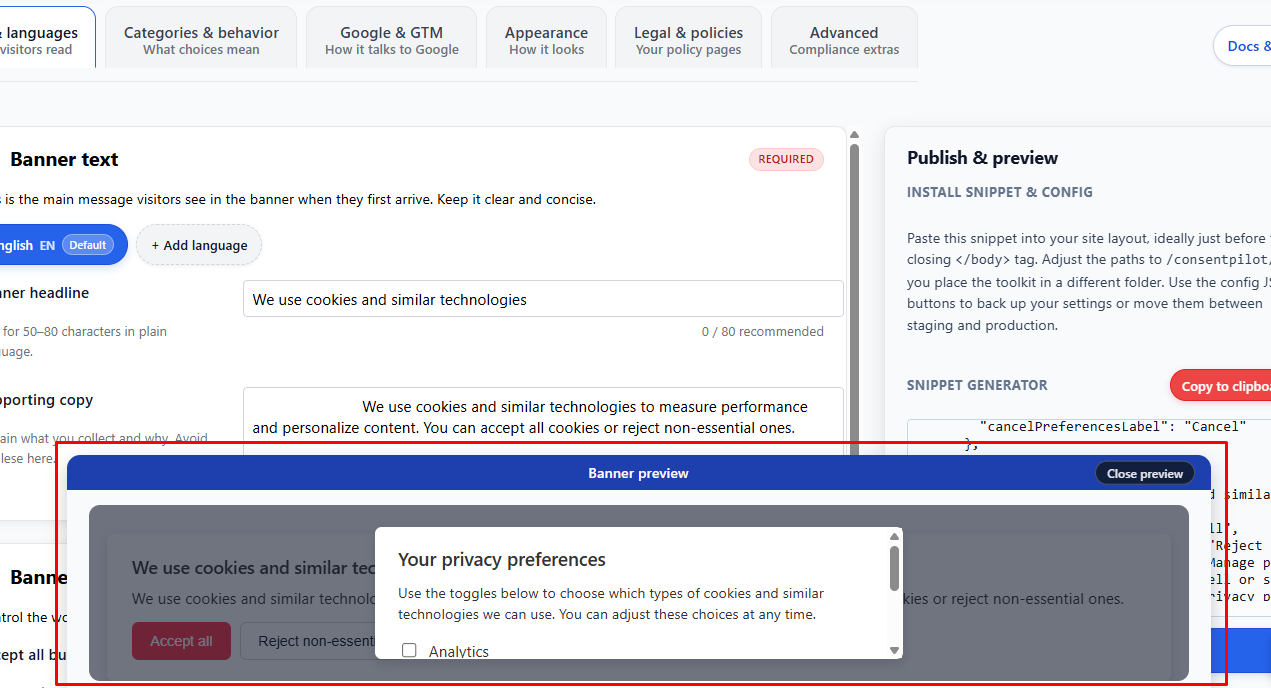
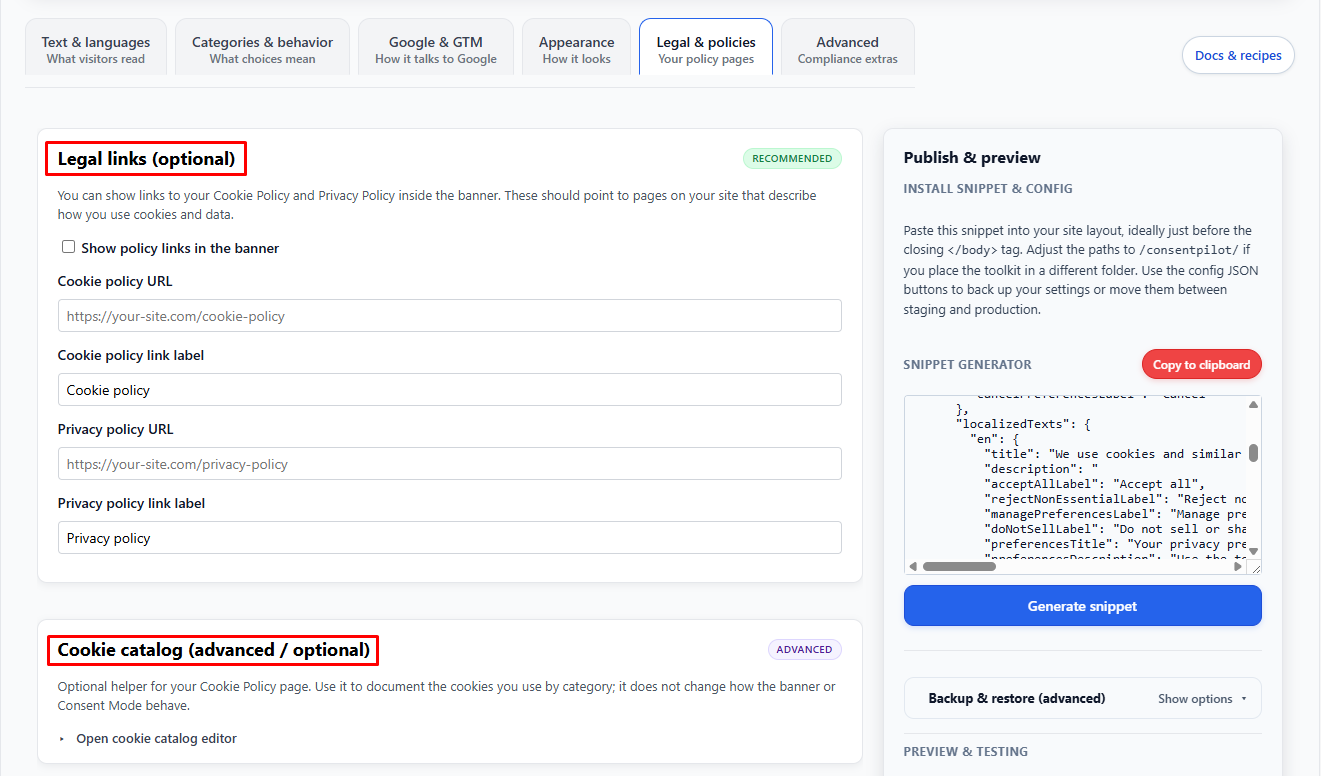
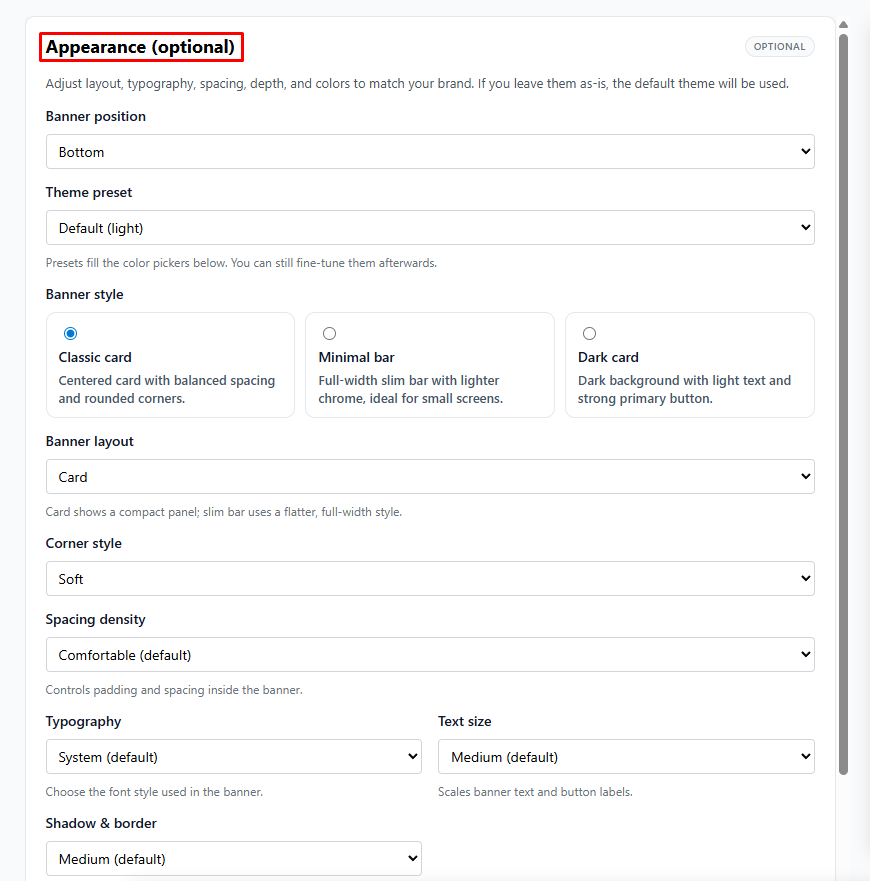
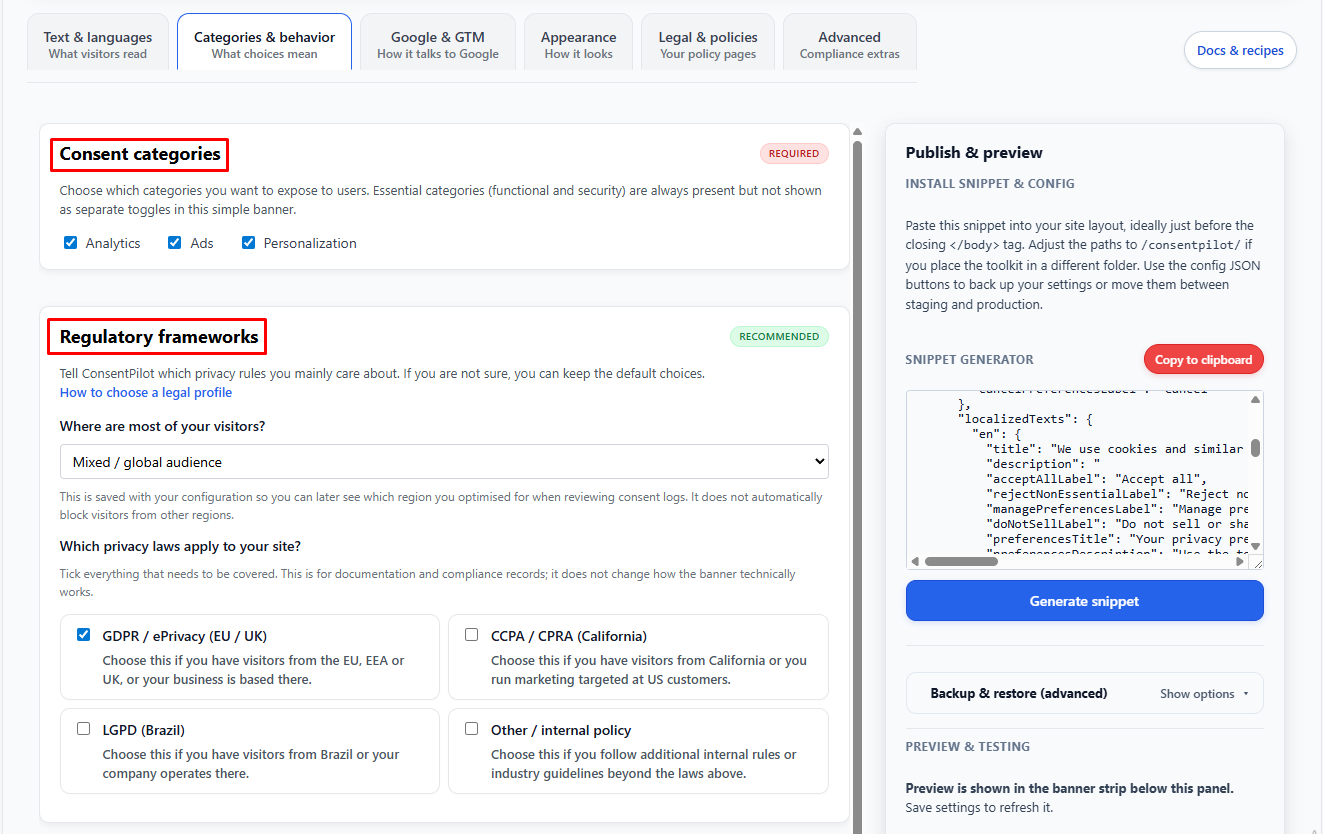
index.html – the ConsentPilot Configurator you open in your browser to set texts, categories, Google & GTM settings, appearance, and advanced options.

docs/

README.md – quick start for buyers.

INTEGRATION-NON-WP.md – non-WordPress integration guide.

GTM-RECIPES.md – GA4 & GTM cookbook.

TESTING-CHECKLIST.md – manual QA checklist.

demo/

static/ – static HTML demo.

php/ – PHP demo and audit scripts.

What You Need Before Installation

Lorem ipsum dolor sit amet, consectetur adipiscing elit. Suspendisse varius enim in eros elementum tristique. Duis cursus, mi quis viverra ornare, eros dolor interdum nulla, ut commodo diam libero vitae erat.

Right icon

Access to your hosting (FTP, cPanel, or similar) to upload the consentpilot/ folder.

Right icon

Access to your main layout template where you can paste the snippet:

  • Laravel Blade layout (resources/views/layouts/app.blade.php)
  • A PHP include (footer.php)
  • A static HTML layout (index.html or theme file)
Right icon

Optional but recommended:

  • A Google Analytics 4 (GA4) property
  • A Google Tag Manager (GTM) container installed on your site

What You Need Before Installation

Lorem ipsum dolor sit amet, consectetur adipiscing elit. Suspendisse varius enim in eros elementum tristique. Duis cursus, mi quis viverra ornare, eros dolor interdum nulla, ut commodo diam libero vitae erat.

Right icon

Access to your hosting (FTP, cPanel, or similar) to upload the consentpilot/ folder.

Right icon

Access to your main layout template where you can paste the snippet:

  • Laravel Blade layout (resources/views/layouts/app.blade.php)
  • A PHP include (footer.php)
  • A static HTML layout (index.html or theme file)
Right icon

Optional but recommended:

  • A Google Analytics 4 (GA4) property
  • A Google Tag Manager (GTM) container installed on your site

Need Help?

Lorem ipsum dolor sit amet, consectetur adipiscing elit. Suspendisse varius enim in eros elementum tristique. Duis cursus, mi quis viverra ornare, eros dolor interdum nulla, ut commodo diam libero vitae erat.

Best Feature
FAQ

Frequently Asked Questions

Benefit icon

Does the Rapid Email Sender Advance comes with a built in SMTP?

Faq icon

No, it doesn’t come with any built in SMTP. You need to configure a SMTP with the software to send emails.

Benefit icon

Can I use multiple SMTP with the Rapid Email Sender Advance?

Faq icon

Yes, you can use multiple SMTP in it.

Benefit icon

What is the Rapid Email Sender Advance used for?

Faq icon

It is used for sending bulk emails to a large number of users.

Benefit icon

Can I send emails directly with port 25 through the software?

Faq icon

No, you cannot do that. You need to setup your SMTP with the software to send emails.

Benefit icon

Can I use shortcut codes in the Rapid Email Sender Advance?

Faq icon

Yes, you can use shortcut codes in the software.

WhatsApp
ASTGD Support
Typically replies in a few hours
Hi there! 👋
How can we help you today?