.webp)
.webp)
OAuth 2.0 is an industry-standard authorization framework that enables third-party applications to gain limited access to user resources without exposing user credentials. It works by issuing access tokens to applications, allowing them to interact with APIs on the user’s behalf. OAuth 2.0 supports multiple grant types like authorization code, client credentials, and refresh tokens, making it flexible for web, mobile, and desktop apps.
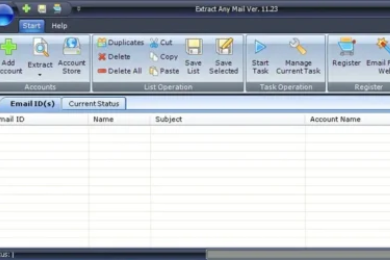
The Extract Any Mail Ultimate is an email extractor software that extracts email addresses from an email account. Since it is a 3rd party application (not an Office365 application), it is mandatory to have OAuth 2.0 access to extract email addresses from an Office365 account or Microsoft email accounts (Hotmail, Outlook, MSN. Live etc).
To be able to extract email addresses from an Office365 account or Microsoft account you need to follow some small and simple steps. However, you need to have sufficient access to the email accounts to achieve this. You need to follow the below mentioned steps to complete the whole process.

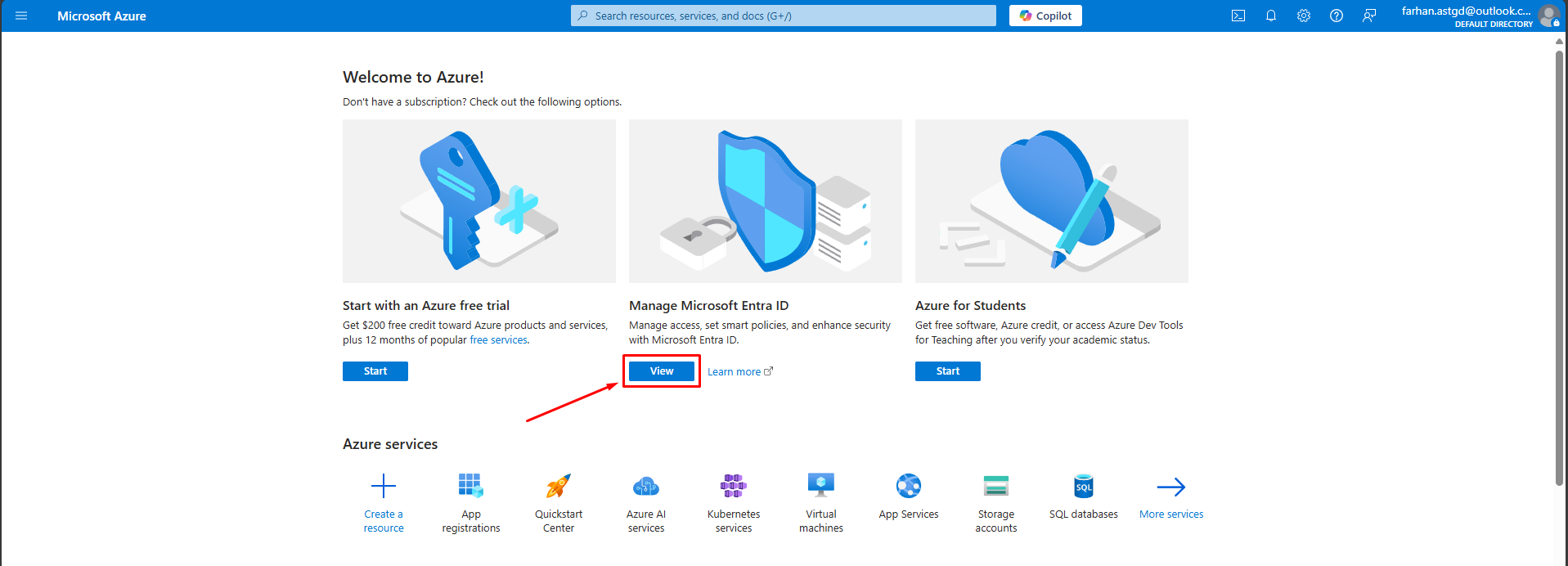


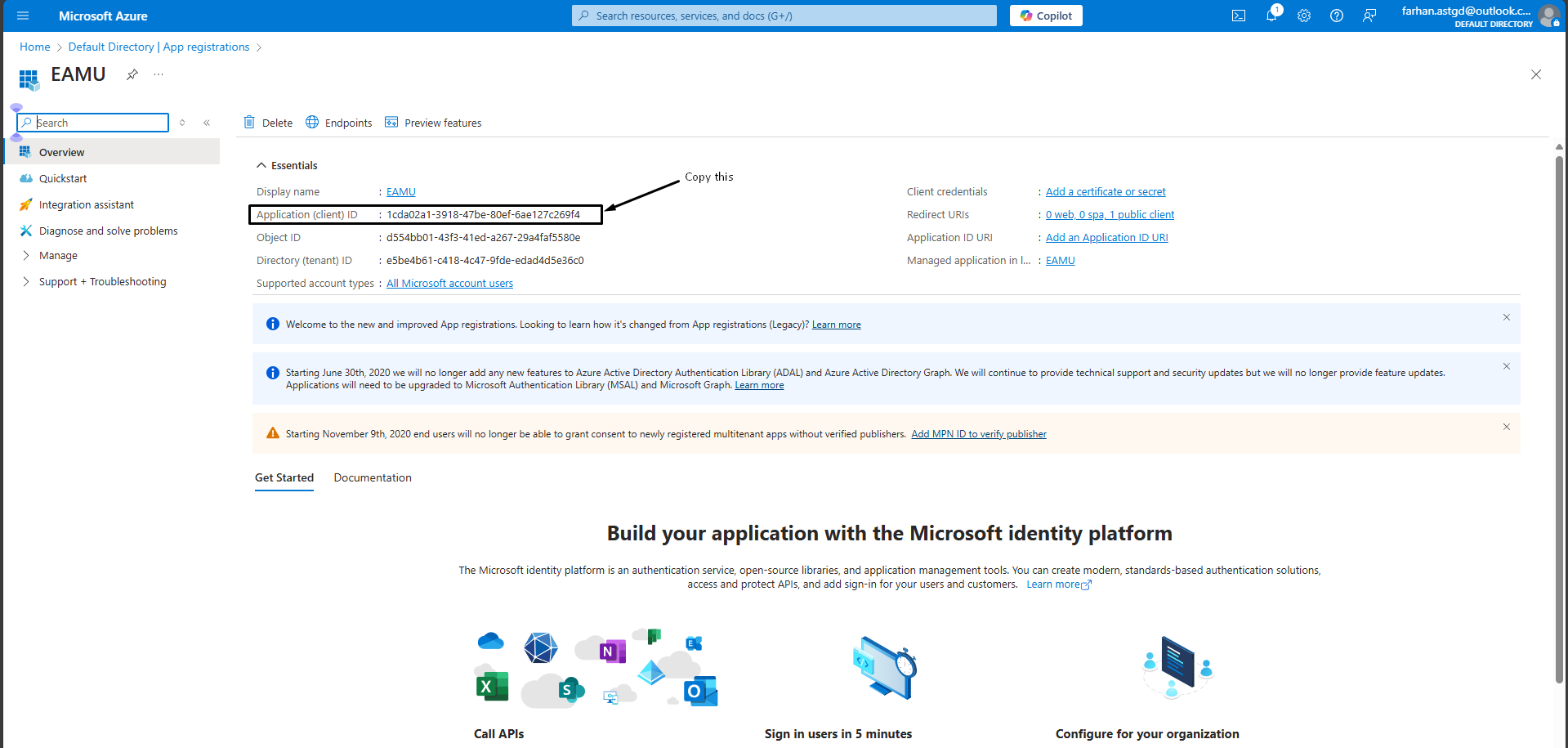
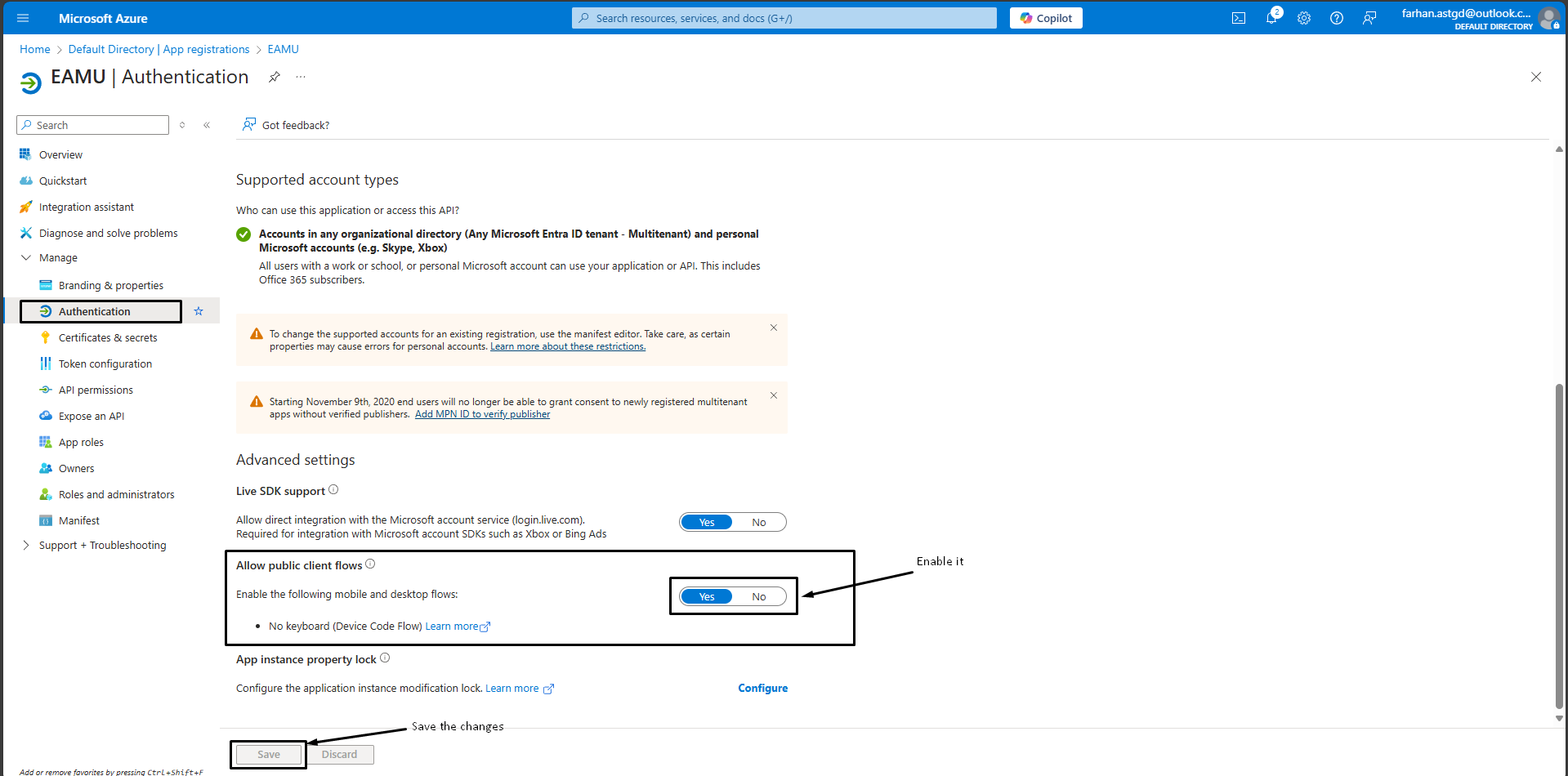
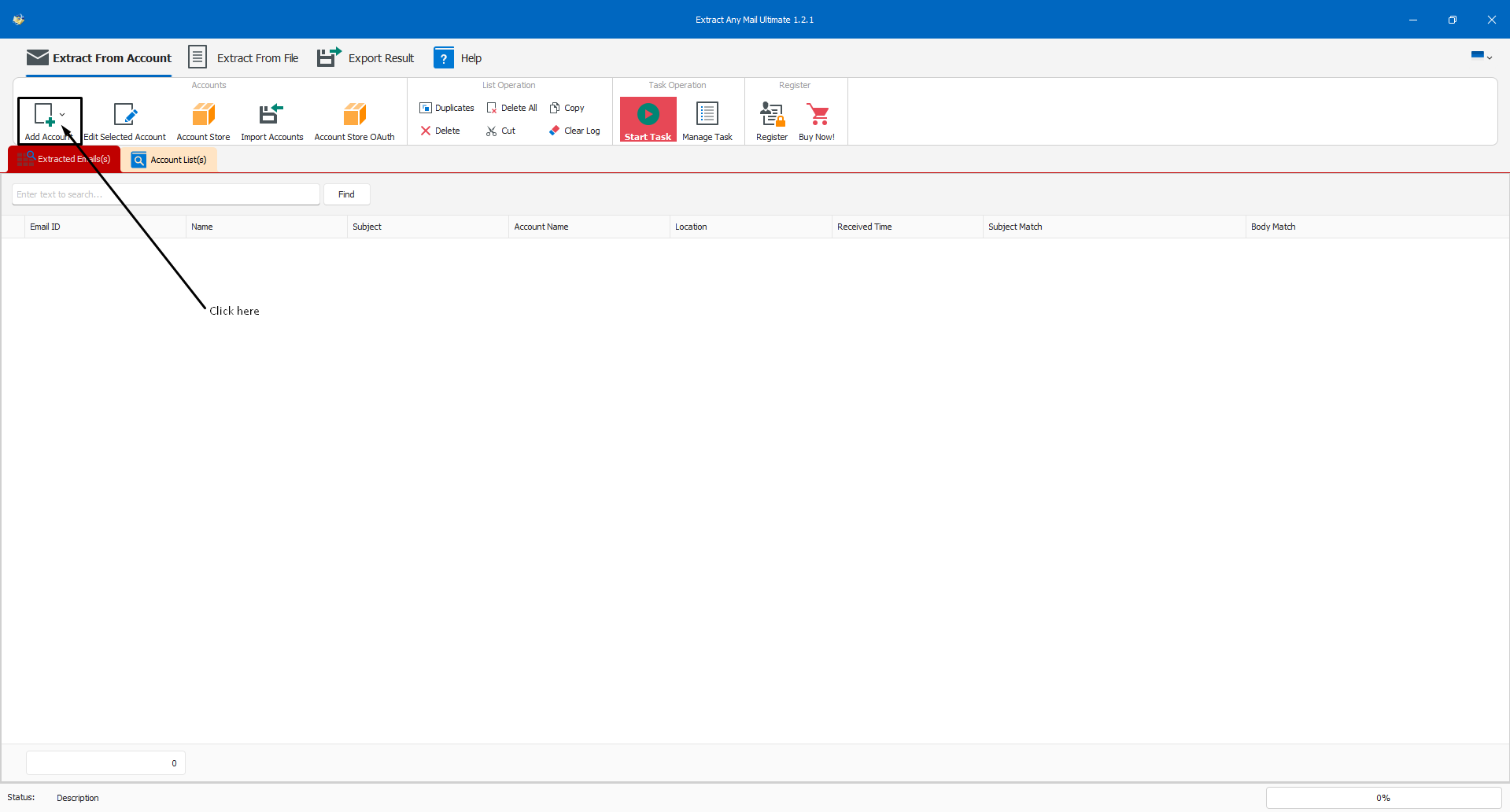
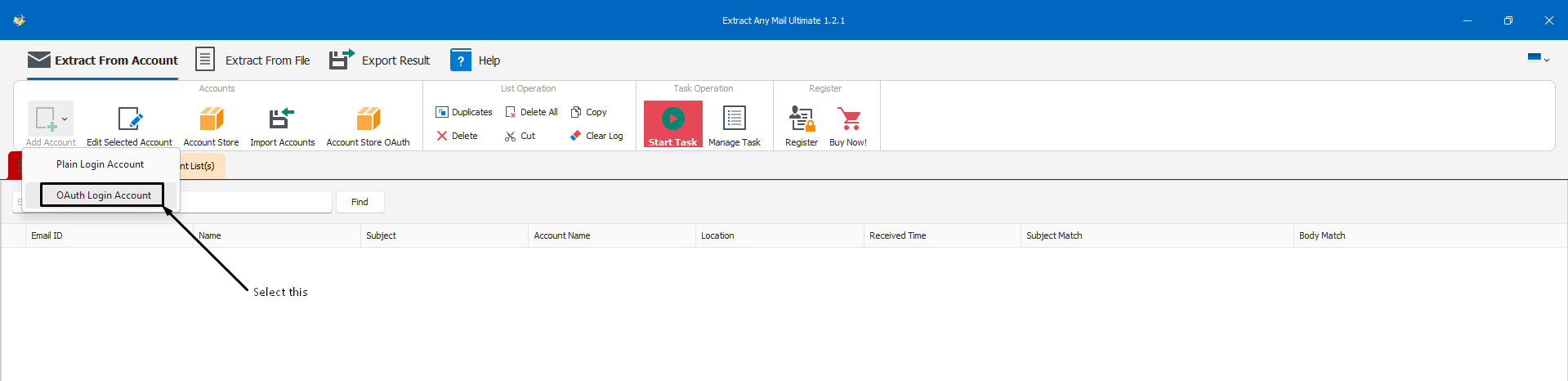
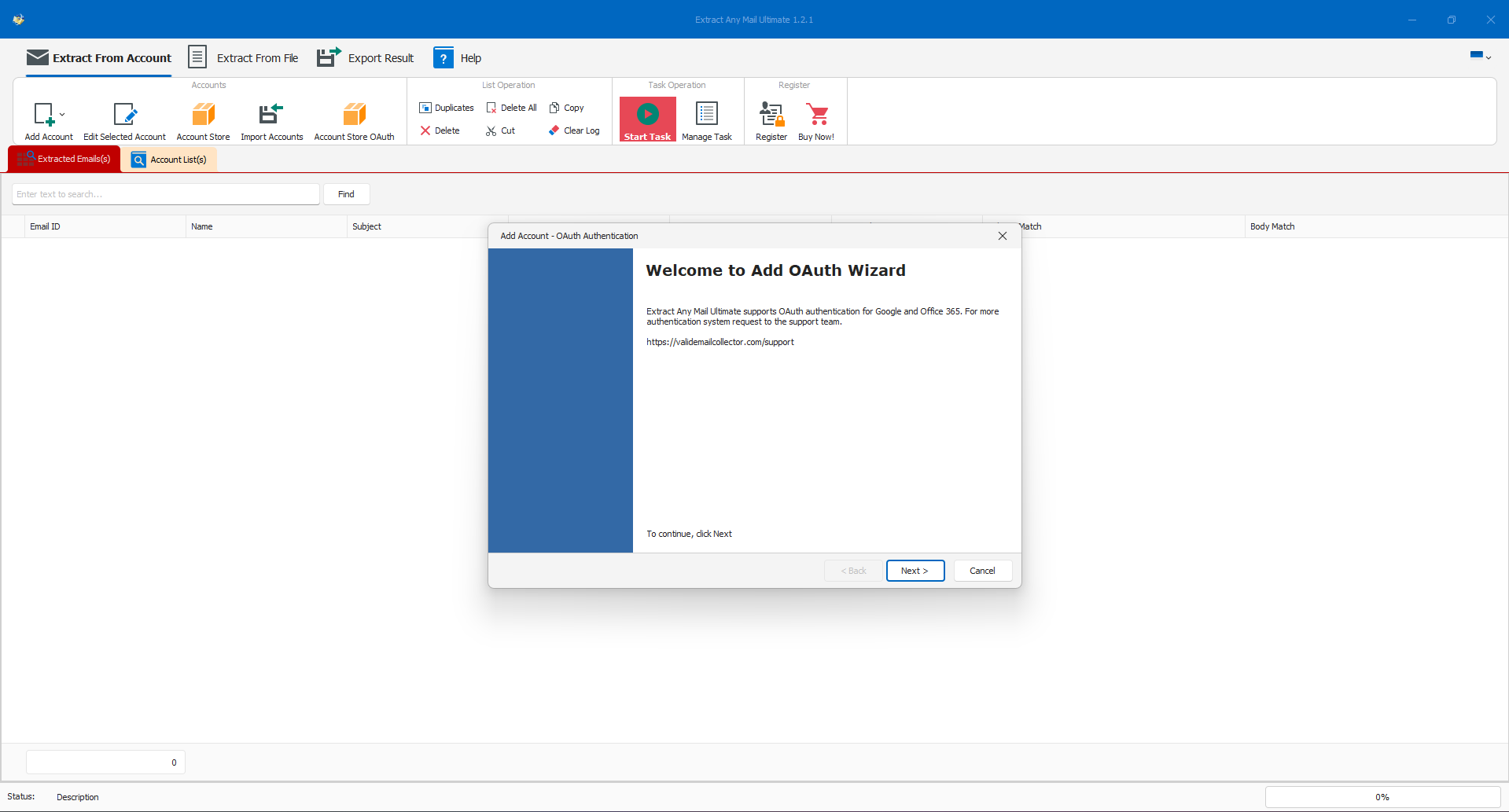
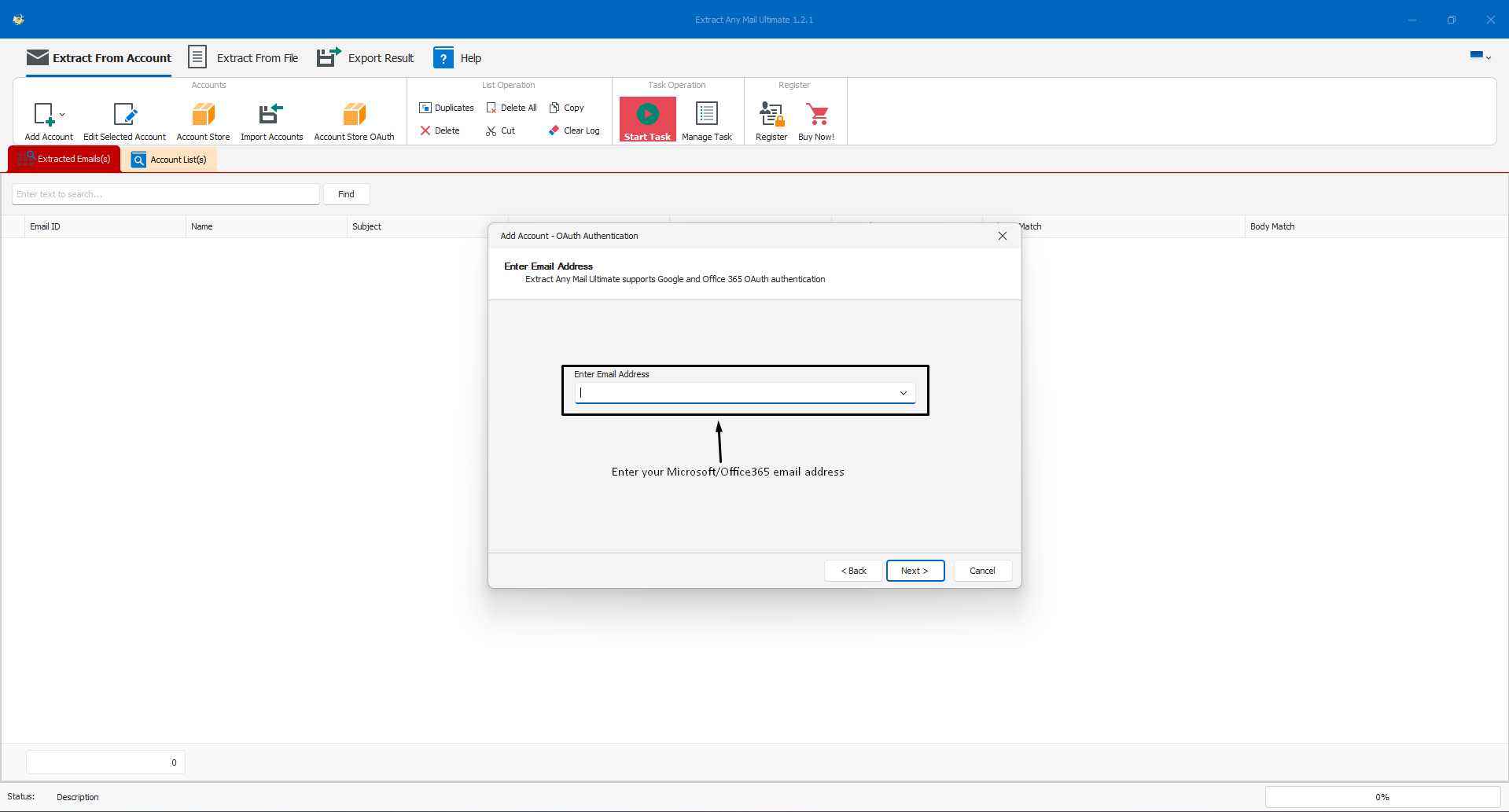
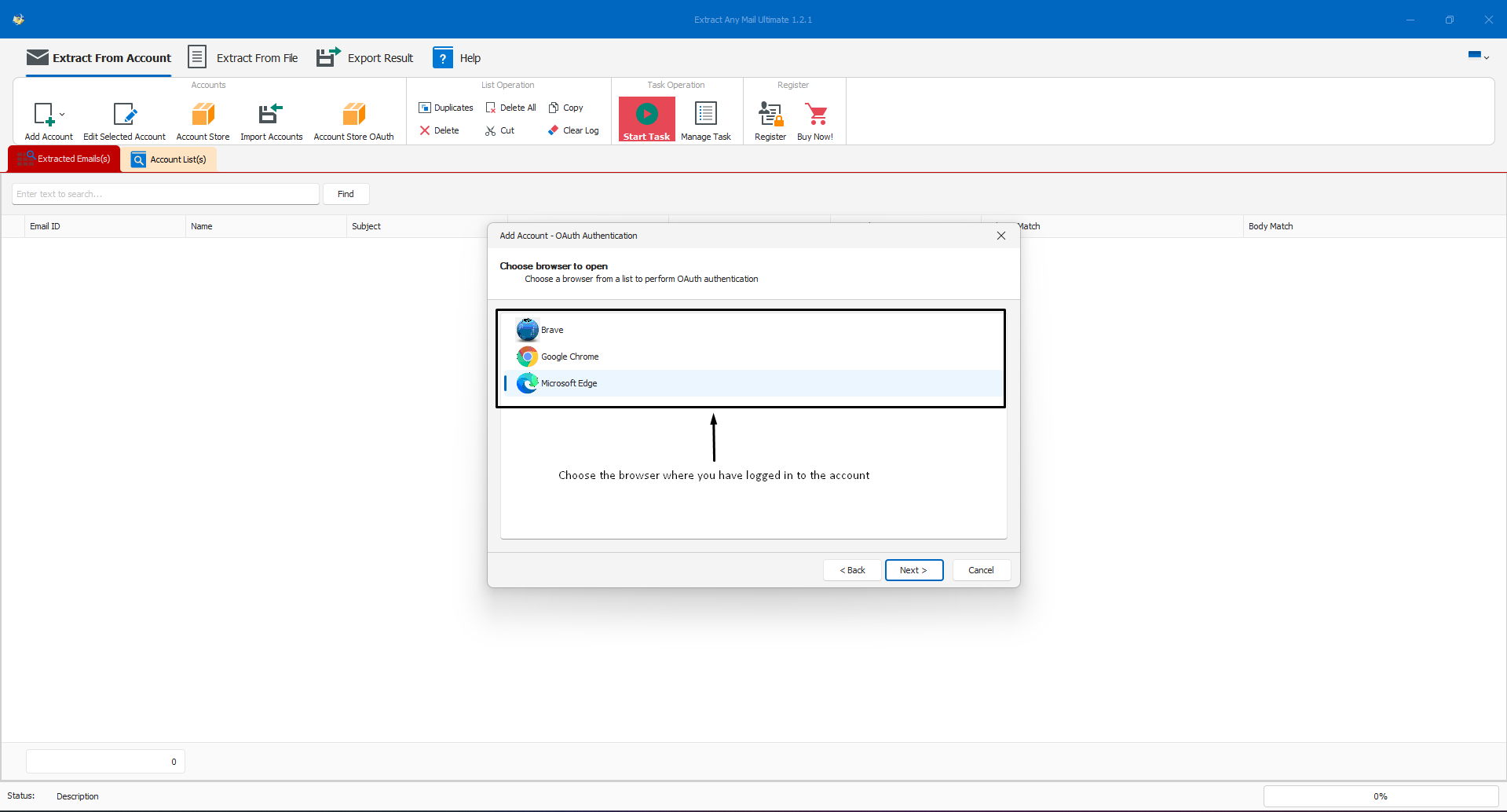


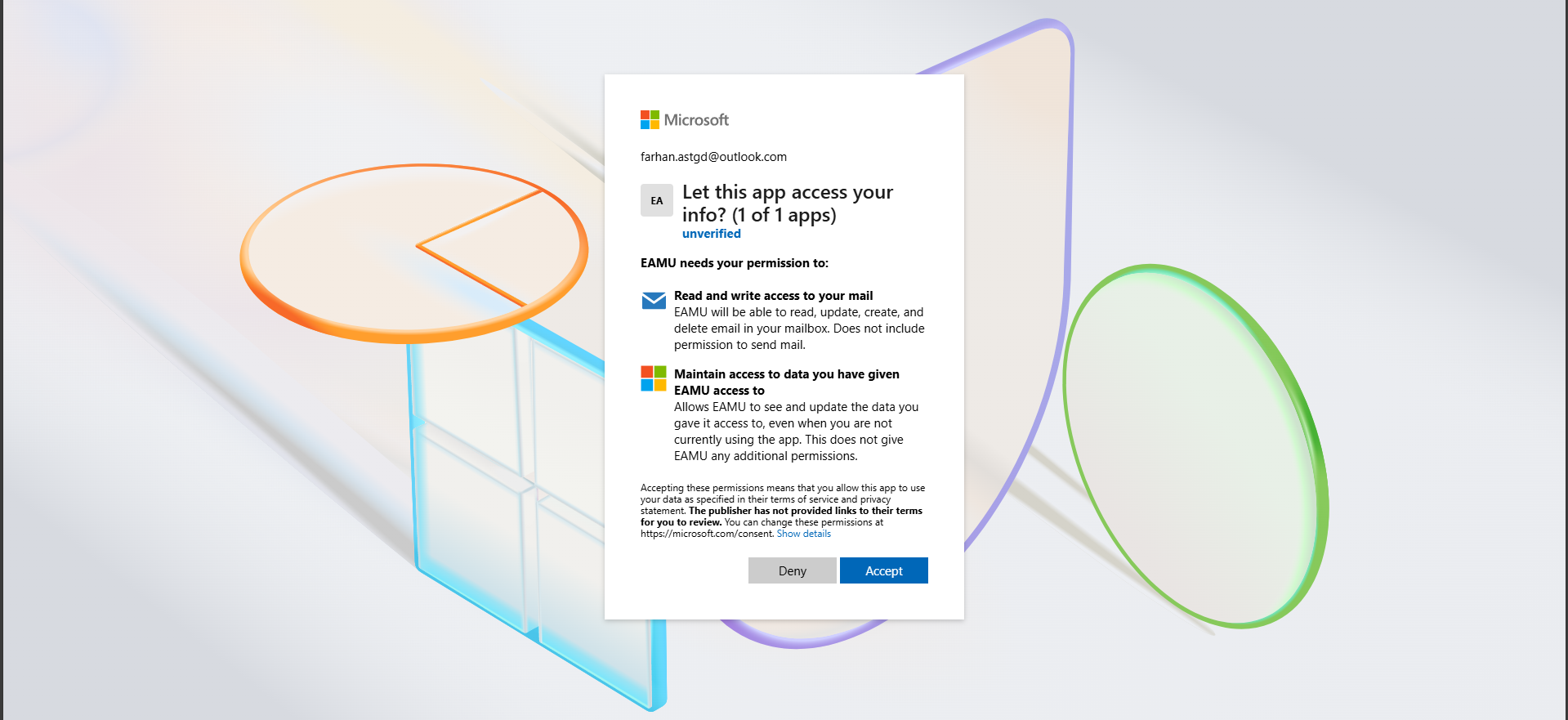
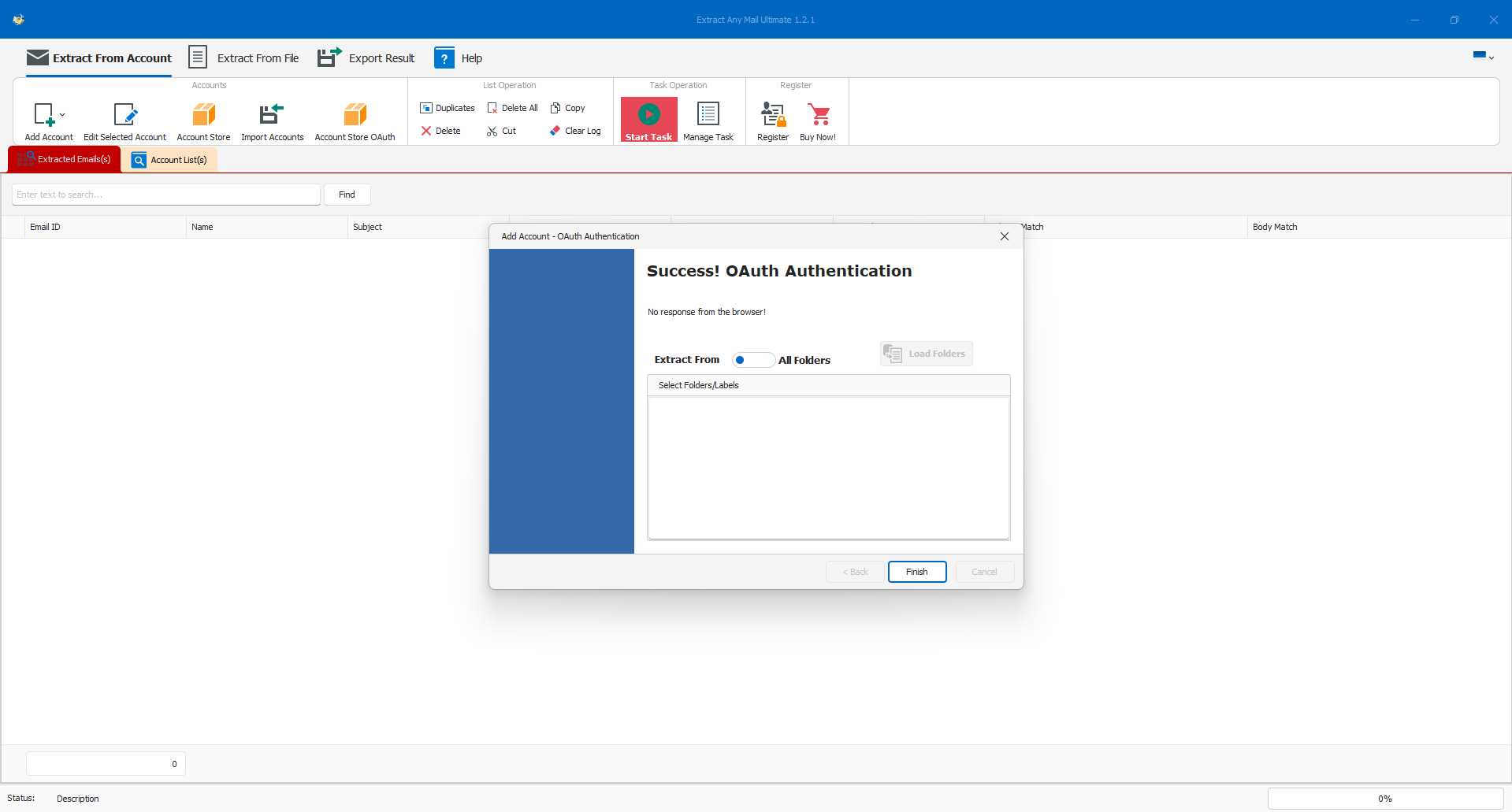
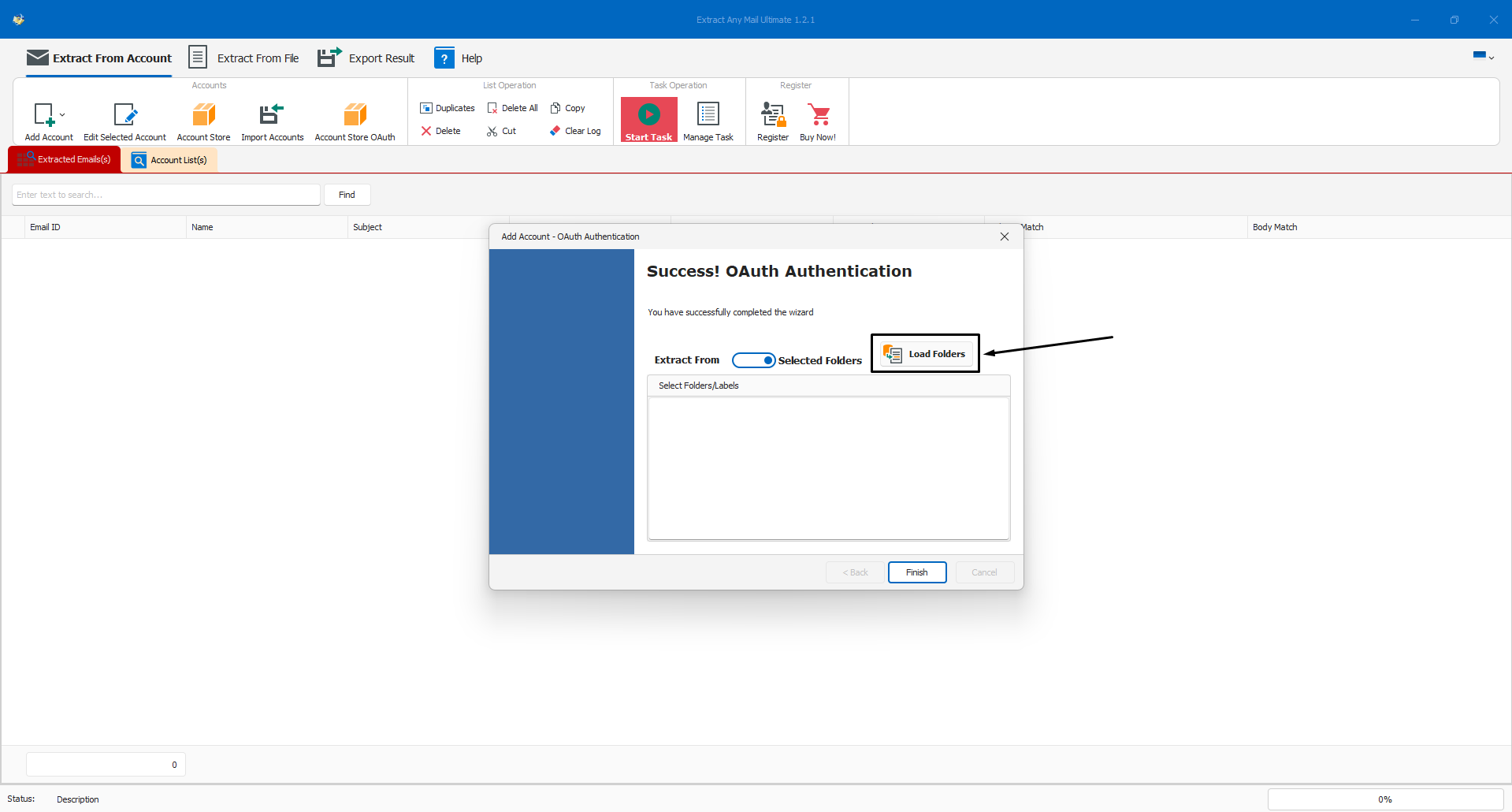
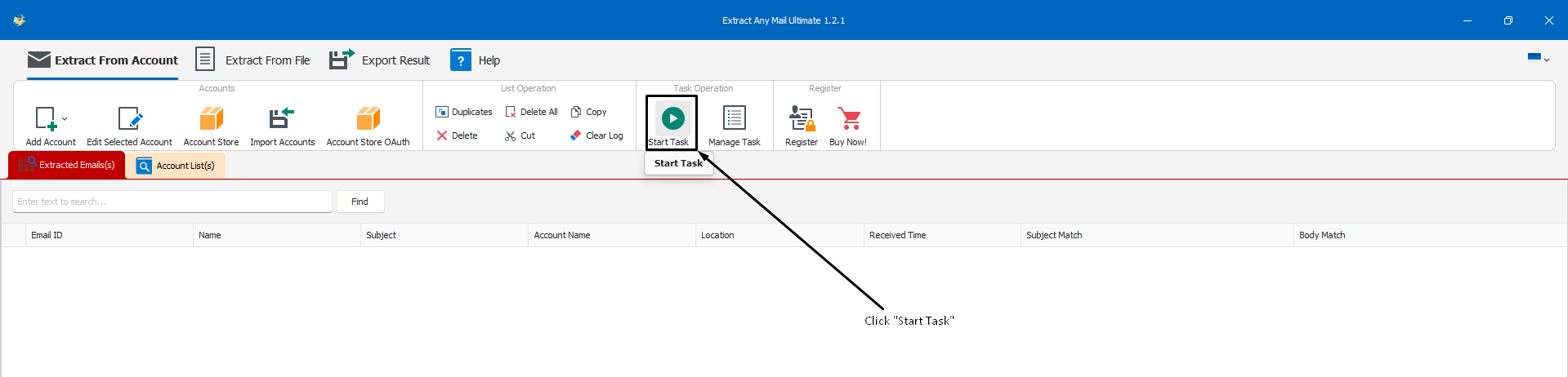
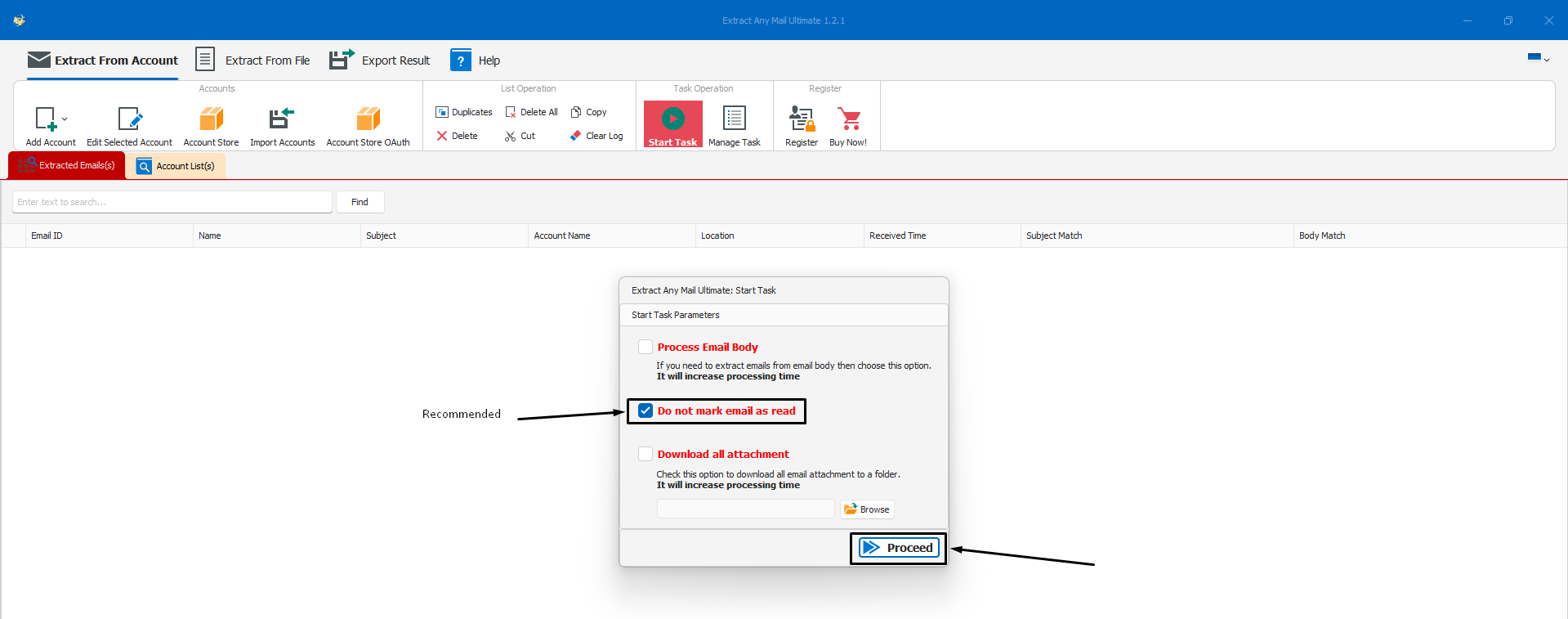
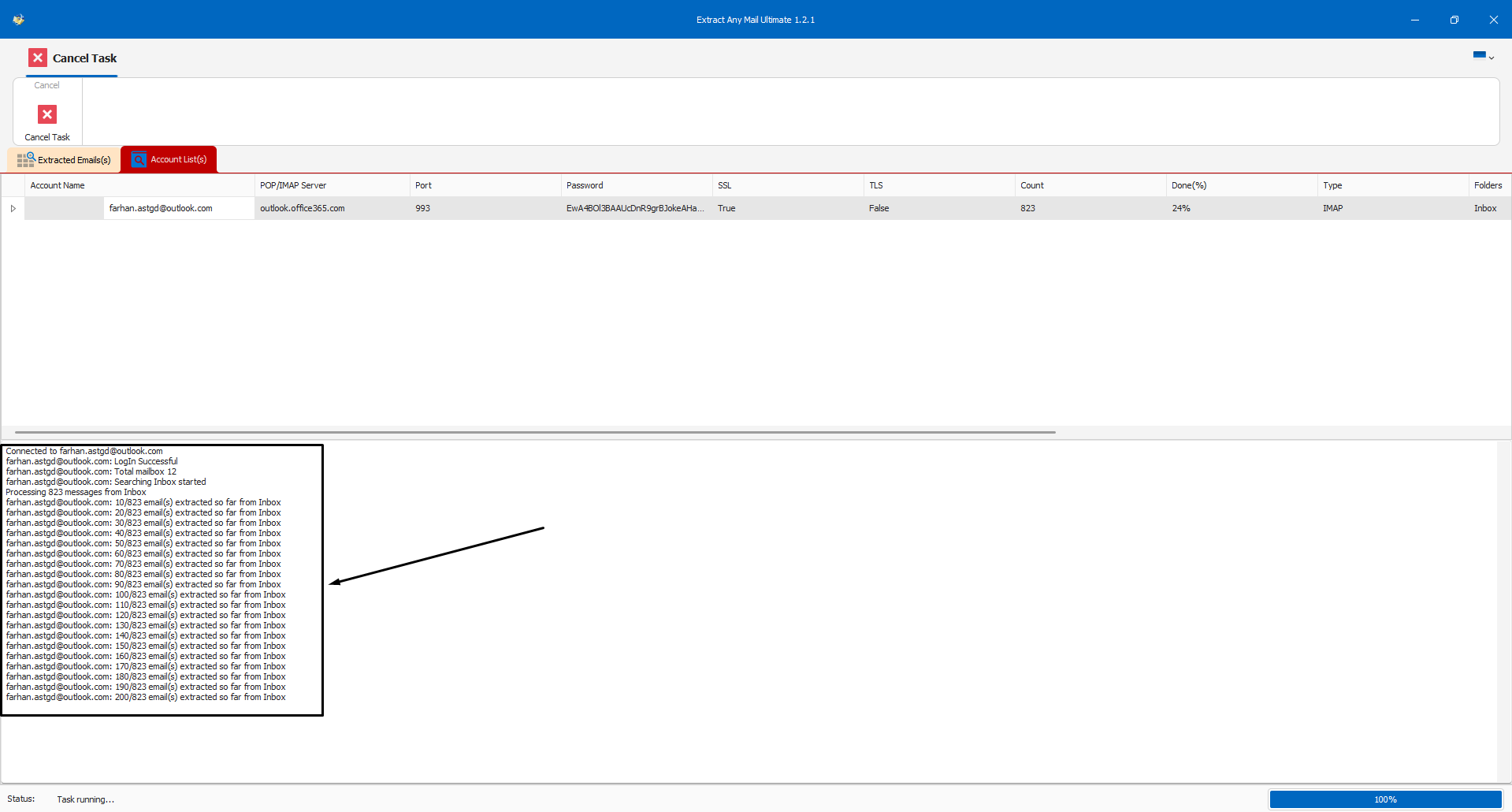
Once the email extraction is completed, you need to save the extracted email addresses. For that, click the “Export Results” option and select your desired file format for saving the email addresses.
The “Export Text” option only saves the email addresses, no other information is saved. If you need all other information, consider choosing from the other three options.

This concludes our tutorial post on how to register an application in Azure Portal for getting the Client ID which is needed for accessing Office365 or Microsoft account from a 3rd party application. Hope this helps you to extract email addresses using our Extract Any Mail Ultimate. Some of the settings or options may vary depending on your email account and organizational settings. However, the settings and process are the same for all Microsoft accounts.
Let us know if you encounter any issues while setting up the OAuth. Our support team will assist you, but please bear it in mind that you must have sufficient access to the account to perform all these steps.
Discover powerful hosting solutions, premium VPS plans, and tools designed to boost your website’s performance and reliability.